Business growth brings exciting opportunities, but it also creates operational challenges. Managing financial data across spreadsheets, tracking inventory manually, handling disconnected sales systems, and generating accurate business reports can become increasingly difficult as an organization expands.
This is where Microsoft ERP solutions can make a significant difference.
Enterprise Resource Planning systems connect important business processes, including finance, inventory, sales, purchasing, supply chain operations, manufacturing, and reporting, within a unified digital environment.
Microsoft provides ERP capabilities through its Dynamics 365 ecosystem, particularly Business Central, which is designed to help small and midsized organizations manage their core business operations more efficiently.
However, choosing an ERP platform is a major business decision.
Organizations need to understand the capabilities of the technology, implementation requirements, costs, integration possibilities, and long-term benefits before making an investment.
In this article, we will explore how Microsoft ERP solutions work, their key benefits, implementation challenges, applications across industries, and the factors businesses should consider when selecting an ERP system.
What Are Microsoft ERP Solutions?
Microsoft ERP solutions are business management technologies designed to integrate different organizational functions into a connected system.
Instead of using separate software platforms for accounting, inventory management, purchasing, sales, manufacturing, and reporting, businesses can manage these activities through a unified ERP environment.
The Microsoft Dynamics 365 ecosystem includes several enterprise applications that help organizations manage business processes and customer relationships.
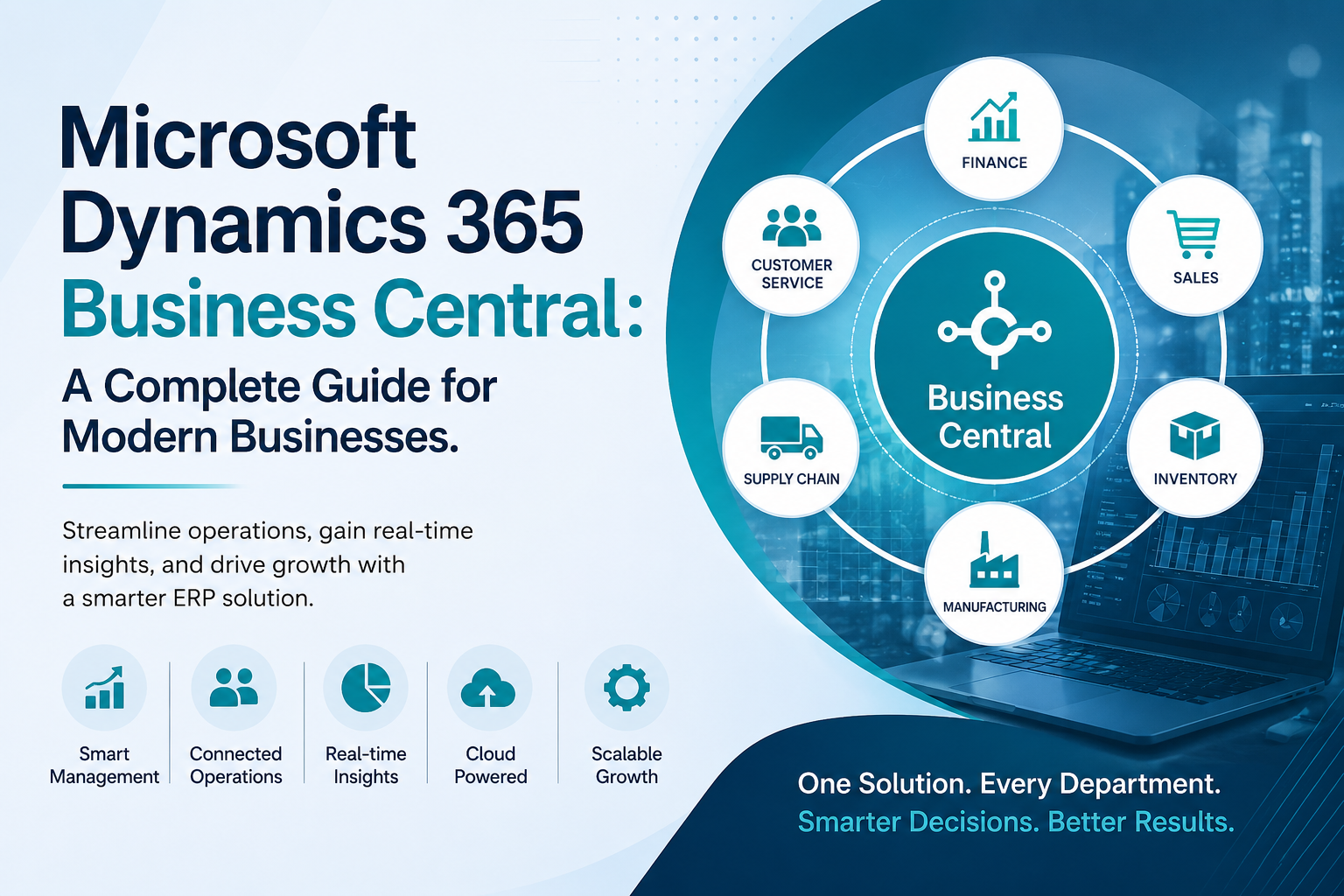
One of the most widely used ERP platforms for growing businesses is Microsoft Dynamics 365 Business Central.
Business Central combines capabilities such as:
Financial management and accounting
Inventory management
Sales and customer management
Purchasing and vendor management
Supply chain operations
Project management
Manufacturing processes
Warehouse management
Business reporting and analytics
By connecting these functions, businesses can improve data visibility and reduce the inefficiencies caused by disconnected software systems.
Why Are Businesses Moving Toward Modern ERP Systems?
Traditional business management methods often rely on spreadsheets, legacy accounting software, and separate departmental applications.
These systems may work when an organization is small. However, as operations grow, disconnected technology can create serious challenges.
Employees may enter the same information into multiple systems. Managers may struggle to access accurate reports. Inventory data may not match actual stock levels. Financial reporting may require hours of manual work.
Modern Microsoft ERP solutions help address these problems by creating a centralized source of business information.
Centralized Business Data
ERP platforms connect information from multiple departments.
Finance teams, warehouse managers, sales representatives, purchasing departments, and business leaders can access relevant information from the same system.
This reduces duplicate data entry and improves communication between departments.
Better Business Visibility
Business leaders need accurate information to make informed decisions.
ERP dashboards and reporting capabilities provide insights into financial performance, inventory levels, sales trends, operational costs, and other important business metrics.
Instead of waiting for manually prepared reports, decision-makers can access updated business information more quickly.
Improved Process Automation
Manual administrative tasks consume valuable employee time.
ERP systems can automate activities such as invoice processing, financial reporting, purchase orders, inventory updates, and approval workflows.
Automation can reduce errors while allowing employees to focus on higher-value business activities.
Understanding Microsoft Dynamics 365 Business Central
Business Central is an ERP platform designed primarily for small and midsized organizations.
It connects finance, operations, sales, inventory, supply chain activities, and project management.
Companies familiar with Microsoft Navision or Dynamics NAV may recognize Business Central as the modern evolution of that ERP platform.
Organizations working with a Microsoft Navision partner may consider migrating from legacy NAV systems to Dynamics Business Central to access cloud capabilities, modern integrations, and ongoing platform improvements.
Financial Management
Dynamics Business Central helps organizations manage accounting and financial operations.
Businesses can manage:
General ledger activities
Accounts payable
Accounts receivable
Budgeting
Cash flow forecasting
Bank reconciliation
Financial reporting
Having financial information connected with operational data helps organizations gain better visibility into overall business performance.
Inventory and Warehouse Management
Inventory management is a critical challenge for distributors, retailers, manufacturers, and logistics companies.
Organizations searching for inventory management software India often require more than simple stock tracking.
They may need capabilities for managing multiple locations, purchase orders, stock transfers, demand forecasting, warehouse operations, and inventory valuation.
Microsoft ERP solutions can help organizations maintain better visibility into inventory movement and reduce problems such as overstocking, stock shortages, and inaccurate inventory records.
Sales and Customer Management
Business Central allows organizations to manage sales opportunities, quotations, orders, invoices, and customer information.
Connecting sales processes with finance and inventory systems helps organizations create more efficient order-to-cash workflows.
Sales teams can check product availability, customer information, and order history before completing transactions.
How Does Azure Cloud Support Microsoft ERP Solutions?
Cloud technology has significantly changed how organizations deploy and manage enterprise software.
Azure Cloud provides infrastructure and cloud services that support Microsoft technologies and business applications.
Cloud-based ERP systems can provide several advantages.
Greater Accessibility
Authorized employees can access business applications and information from different locations.
This is particularly useful for organizations with multiple offices, warehouses, remote employees, or distributed teams.
Improved Scalability
Growing organizations may need additional users, storage capacity, integrations, or applications.
Cloud-based infrastructure can provide greater flexibility when business requirements change.
Reduced Infrastructure Management
Traditional ERP systems often require organizations to purchase and maintain physical servers.
Cloud deployment can reduce the need for extensive on-premises infrastructure management.
However, organizations should still develop strong governance, cybersecurity, access control, and data management policies when adopting cloud ERP platforms.
Connecting ERP Systems with Microsoft Power Platform
Modern organizations increasingly require business applications that can adapt to changing operational requirements.
The Power Platform includes tools such as Power BI, Power Apps, Power Automate, and Copilot Studio.
These technologies can extend the capabilities of Microsoft ERP solutions.
Power BI for Business Analytics
Power BI allows organizations to create dashboards and reports using information from different business systems.
Business leaders can analyze financial performance, sales activity, inventory movement, operational efficiency, and other key metrics.
Power Automate for Workflow Automation
Power Automate helps organizations automate repetitive processes.
For example, businesses can create workflows for invoice approvals, employee notifications, purchase order requests, and data synchronization.
Power Apps for Custom Business Applications
Organizations sometimes need specialized applications for unique business processes.
Power Apps allows businesses to develop low-code applications that can connect with ERP information and other data sources.
Together, these technologies can help organizations build a more connected business technology ecosystem.
Why ERP Implementation Strategy Matters
Purchasing ERP software does not automatically improve business performance.
Successful ERP implementation requires careful planning, process analysis, data preparation, employee training, and ongoing system optimization.
Organizations should begin by identifying existing operational challenges.
Important questions include:
Which business processes are inefficient?
Where does duplicate data entry occur?
Which reports are difficult to generate?
What systems need to be integrated?
Which processes should be automated?
What information do managers need for decision-making?
Answering these questions helps organizations define realistic ERP implementation objectives.
Data Migration and System Integration
Many businesses have valuable information stored in spreadsheets, accounting software, legacy ERP platforms, and other applications.
Migrating this information requires careful preparation.
Duplicate records, outdated information, inconsistent data formats, and incomplete customer or vendor information should be addressed before migration.
Organizations should also identify which existing systems need to integrate with the new ERP platform.
Employee Training and Change Management
ERP implementation changes how employees perform daily tasks.
Without proper training and communication, employees may resist the new system or fail to use important features.
Organizations should provide practical training based on employee responsibilities.
Finance teams, sales representatives, warehouse employees, managers, and administrators may require different training programs.
Microsoft ERP Solutions for Manufacturing Businesses
Manufacturing organizations manage complex operations involving raw materials, production planning, inventory, purchasing, quality control, costing, and customer demand.
Businesses searching for manufacturing ERP software India often need a system that provides better visibility across production and supply chain operations.
Microsoft ERP solutions can help manufacturers manage:
Production orders
Bills of materials
Capacity planning
Inventory levels
Material requirements
Purchasing activities
Production costs
Vendor relationships
Sales orders
For example, consider a mid-sized manufacturer managing production planning through spreadsheets.
The purchasing team may not have real-time visibility into production requirements. The warehouse may hold excessive quantities of certain materials while experiencing shortages of critical components.
After implementing an integrated ERP system, production planning, purchasing, inventory, and financial information can be connected.
This improved visibility can help managers make more informed operational decisions.
ERP Software for the Logistics Industry
Logistics companies manage shipments, warehouses, inventory, vendors, customers, financial transactions, and operational costs.
Organizations evaluating ERP software for logistics industry operations need systems that provide visibility across multiple business activities.
ERP solutions can help logistics organizations manage financial operations, warehouse activities, purchasing processes, inventory records, customer information, and reporting.
However, businesses should carefully evaluate their operational requirements.
Specialized transportation management, fleet management, or advanced route optimization capabilities may require additional applications or third-party integrations.
Choosing an ERP platform should always begin with a detailed analysis of business processes.
How Enterprise AI Solutions Are Changing ERP Systems
Artificial intelligence is becoming increasingly important in enterprise software.
Modern Enterprise AI solutions can help organizations analyze information, automate repetitive activities, identify patterns, and improve decision-making.
Within ERP environments, AI capabilities may support areas such as:
Cash flow analysis
Sales forecasting
Inventory planning
Financial data analysis
Automated data entry
Document processing
Business insights
Employee productivity
AI should not be viewed as a replacement for business expertise.
Instead, organizations can use AI capabilities to support employees, reduce repetitive administrative work, and make business information easier to understand.
Real-Life Example: Moving from Disconnected Systems to an Integrated ERP
Consider a growing distribution company operating several warehouses.
The organization uses accounting software for financial management, spreadsheets for inventory tracking, and separate tools for sales management.
As the business expands, several problems appear.
Inventory records frequently become inaccurate. Employees enter the same information into multiple systems. Managers cannot easily access consolidated reports. Month-end financial reporting takes longer than expected.
The organization decides to implement Dynamics Business Central.
The implementation process begins with business process analysis and data preparation.
Customer records, supplier information, financial data, and inventory records are cleaned and migrated to the new system.
Employees receive role-based training.
After implementation, finance, inventory, purchasing, and sales teams can access connected business information.
Managers gain improved visibility into inventory levels, sales performance, and financial operations.
This example demonstrates an important principle: ERP technology creates value when businesses combine the right software with effective implementation and process improvement.
The Role of Dynamics 365 Business Central Partners
Choosing experienced Dynamics 365 Business Central partners can significantly influence the success of an ERP project.
Implementation partners help organizations understand business requirements, configure the ERP platform, migrate information, integrate applications, train employees, and provide ongoing technical support.
A reliable ERP partner should have:
Experience with Microsoft Dynamics technologies
Knowledge of the client’s industry
Strong implementation methodology
Data migration capabilities
Integration expertise
Transparent project communication
Employee training programs
Post-implementation support services
Organizations should evaluate potential implementation partners carefully rather than selecting a provider based only on project cost.
Benefits of Microsoft ERP Solutions
Microsoft ERP solutions can provide several advantages for growing organizations.
Integrated Business Operations
Connecting finance, inventory, sales, purchasing, manufacturing, and other business activities reduces information silos.
Familiar Microsoft Ecosystem
Organizations already using Microsoft technologies may benefit from integrations with productivity, cloud, analytics, and automation tools.
Cloud Deployment Options
Cloud-based ERP platforms can provide accessibility, scalability, and reduced infrastructure management requirements.
Business Intelligence Capabilities
Reporting and analytics tools can help organizations understand business performance and identify operational trends.
Process Automation
Automating repetitive administrative activities can improve productivity and reduce manual errors.
Flexible Business Applications
Organizations can extend ERP capabilities through integrations, low-code applications, automation tools, and specialized business solutions.
Challenges and Limitations to Consider
ERP systems also have potential disadvantages.
Implementation Can Be Complex
ERP implementation requires planning, technical expertise, business process analysis, and employee participation.
Data Migration Requires Careful Preparation
Poor-quality information can create serious problems after implementation.
Businesses should clean and validate data before migration.
Employee Adoption Can Be Difficult
Employees may resist changing familiar business processes.
Training and change management are essential.
Customization Can Increase Costs
Extensive customization can increase implementation expenses and make future system upgrades more complicated.
Organizations should determine whether existing ERP capabilities can meet business requirements before developing custom features.
How to Choose the Right Microsoft ERP Solution
Selecting an ERP platform requires more than comparing software features.
Organizations should consider their business size, industry, operational complexity, number of users, existing technology infrastructure, integration requirements, budget, and long-term growth plans.
Businesses should also request product demonstrations based on actual operational scenarios.
For example, a manufacturer should evaluate production planning and inventory workflows.
A distribution company should examine warehouse management, purchasing, and order fulfillment processes.
A professional services organization may focus more heavily on project management, financial reporting, and resource planning.
Working with experienced consultants such as Rivira Systems can help organizations evaluate ERP requirements and understand whether Microsoft Dynamics 365 Business Central is suitable for their operational needs.
Frequently Asked Questions About Microsoft ERP Solutions
What are Microsoft ERP solutions?
Microsoft ERP solutions are enterprise management technologies that connect important business processes such as finance, sales, inventory, purchasing, manufacturing, supply chain management, and reporting.
Is Microsoft Dynamics 365 Business Central an ERP system?
Yes. Microsoft Dynamics 365 Business Central is an ERP platform designed primarily for small and midsized organizations. It provides capabilities for managing financial operations, sales, inventory, purchasing, projects, supply chain activities, and manufacturing processes.
What is the difference between Microsoft Navision and Business Central?
Microsoft Navision, later known as Dynamics NAV, is an earlier generation of Microsoft ERP software. Dynamics 365 Business Central is its modern successor, providing cloud capabilities, integrations with other Microsoft technologies, and ongoing platform improvements.
How long does ERP implementation take?
The implementation timeline depends on business size, system complexity, data migration requirements, integrations, customizations, and employee training needs.
Smaller projects may require several months, while complex enterprise implementations can take significantly longer.
Can Microsoft ERP solutions be used by manufacturing companies?
Yes. Microsoft ERP technologies can support manufacturing operations, including production orders, bills of materials, inventory management, capacity planning, purchasing, and production costing.
However, organizations should evaluate whether the platform’s capabilities match their specific manufacturing requirements.
How do I choose Dynamics 365 Business Central partners?
Businesses should evaluate partners based on Microsoft technology experience, industry expertise, implementation methodology, data migration capabilities, integration knowledge, training programs, communication practices, and post-implementation support.
Conclusion
Business growth creates complexity.
More customers, employees, suppliers, warehouses, products, and transactions can make traditional business management systems difficult to maintain.
Microsoft ERP solutions provide organizations with an integrated environment for managing finance, inventory, sales, purchasing, manufacturing, supply chain operations, and business reporting.
Platforms such as Business Central, combined with Azure Cloud services, Power Platform technologies, and Enterprise AI solutions, can help organizations improve operational visibility and create more connected business processes.
However, technology alone does not guarantee success.
Effective ERP implementation requires careful planning, accurate data migration, realistic business objectives, employee training, process improvement, and the right implementation expertise.
Organizations considering Dynamics Business Central should begin by evaluating their current operational challenges and identifying the business outcomes they want to achieve.
Is your organization struggling with disconnected systems, limited business visibility, or outdated ERP technology? Connect with Rivira Systems to explore your ERP requirements, evaluate Microsoft Dynamics 365 Business Central, and develop an implementation strategy aligned with your long-term business goals.
If you found this guide useful, share it with business leaders, IT teams, and decision-makers evaluating ERP technology. You can also leave a comment with your biggest ERP implementation challenge or question.


Write a comment ...